Back to main page

Visual setup guide

Kling AI Referral – 4 simple picture steps

Follow the picture guide below, one step at a time. You don’t need to think about where the code goes – just copy, click and paste.

The code only works if you buy a subscription with a brand-new account. Old accounts or accounts that already tried a paid plan may not be eligible.

Active code

Copy the referral code

Copy the code below, then paste it into the Enter Code box you’ll see inside Kling AI.

Referral Code 7BAC2L8XWJEH

Now follow these 4 steps

Compare the screenshots with your own screen and simply repeat what you see.

Step 1 – Open the Kling AI site and create a new account

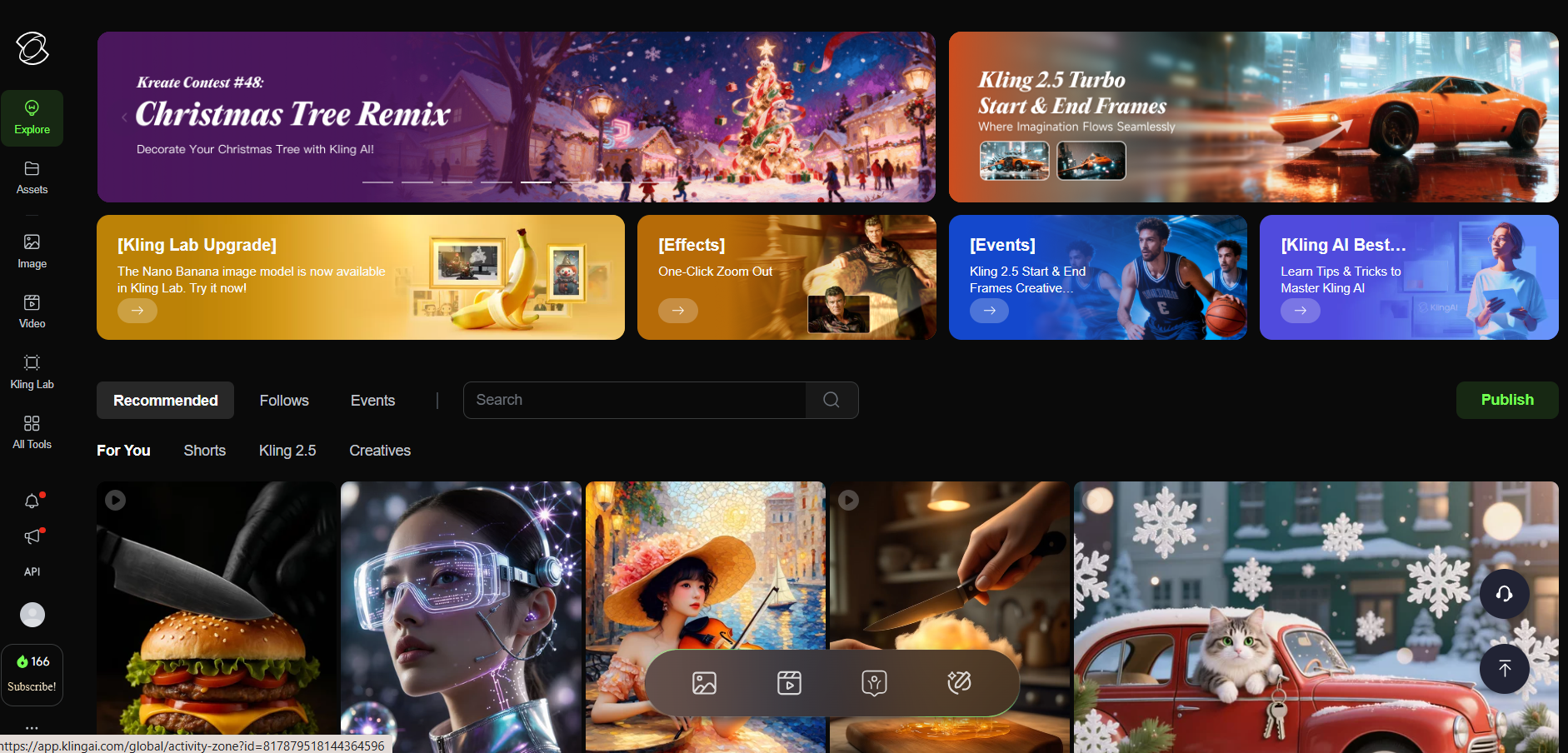
In your browser, open app.klingai.com/global. Click the Sign in button in the top-right corner and create a new account. Do not use an account that already had a subscription; the code only works for new accounts.
Step 2 – On the home screen, click Subscribe at the bottom left

After you log in, you are on the main screen. In the bottom-left corner, just under your credit balance (Credits), you will see the green Subscribe button. Click this button.

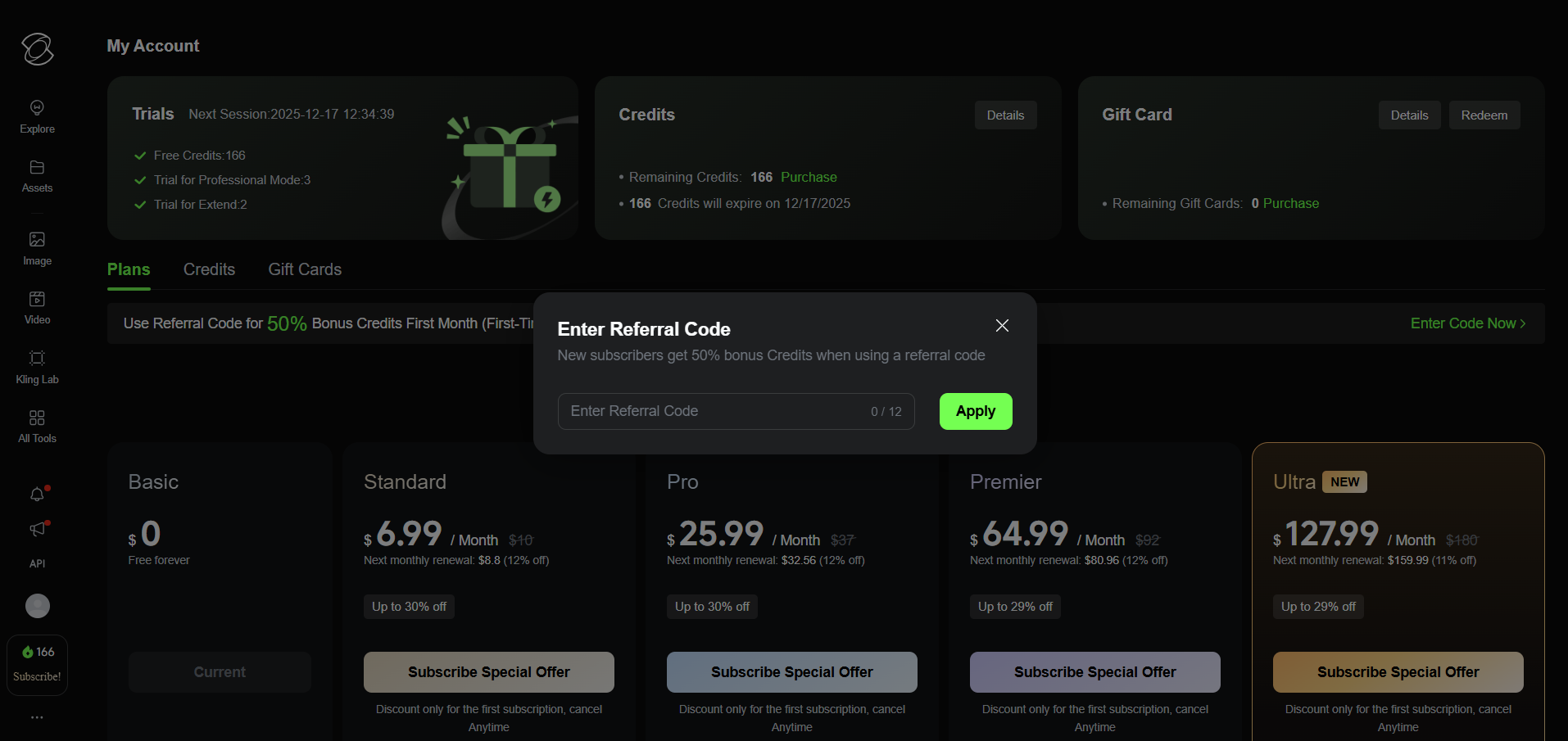
Referral kodu girme penceresi ekran görüntüsü

Step 3 – Click the Enter Code Now link at the top

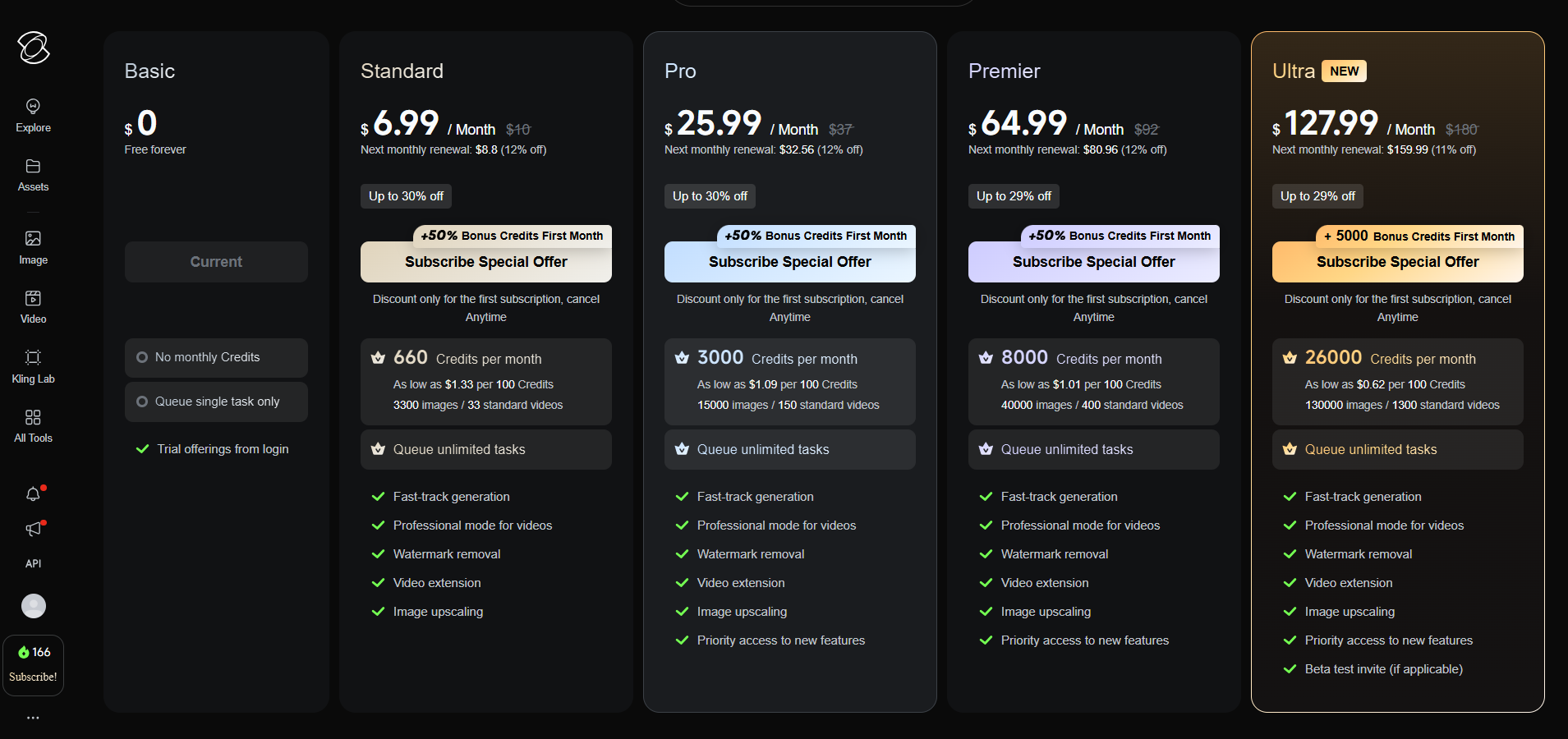
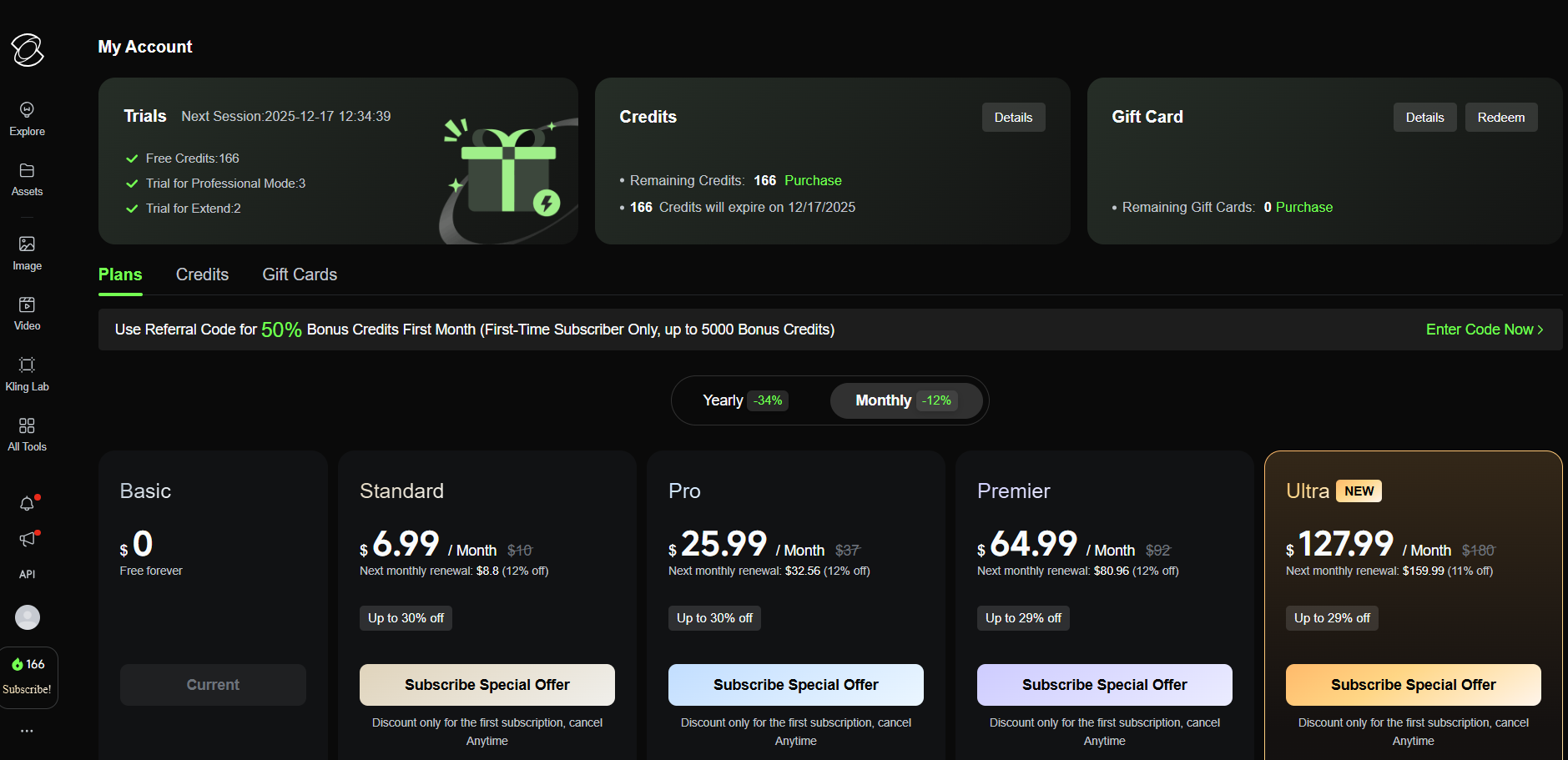
On the plans page you’ll see a black bar at the top that says Use Referral Code for 50% Bonus Credits First Month.... On the far right of that bar, click the Enter Code Now link. In the popup, paste the referral code you copied and press Apply.

Kling AI planlar sayfası ekran görüntüsü

Step 4 – Choose a plan and check for +50% Bonus

If the code is applied correctly, each subscription card will show +50% Bonus Credits First Month. Choose the plan you like and finish the payment. For your first month, you will automatically get 50% more credits.

Copied!